Due to regional restrictions, Southernbay is currently unable to provide services within the Canterbury area
CYBER SECURITY FOR SMB's
Keeping Your Data Safe
Keeping your data safe requires vigilance with keys, passwords, and MFA using a combination of onsite and offsite repositories that you control as a business.
What KEYS, MFA, Passwords To Keep Secure.
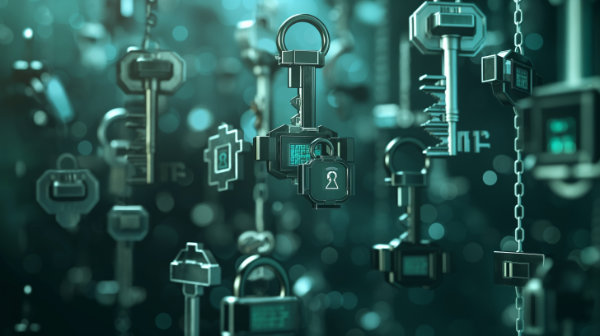
Encryption Keys
Protects data by encrypting it, ensuring only authorized users can access it.
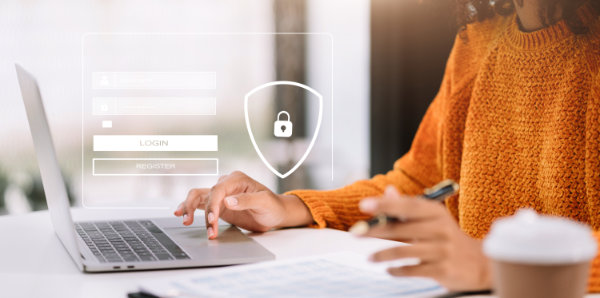
Passwords
Secure access to accounts and systems. Use strong, unique passwords for each account.
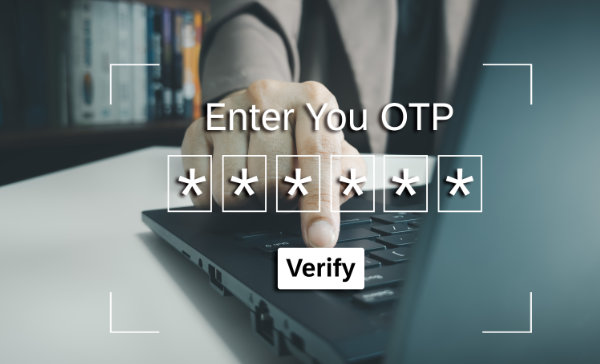
Multi-Factor Authentication (MFA/OTP)
Adds an extra layer of security, requiring multiple verification methods to access accounts.
Protecting Local IT Assets
Encryption Keys:
Keeping encryption keys secure is essential because:
- Data Protection: Encryption keys are used to encrypt and decrypt sensitive data. If the keys are compromised, unauthorized parties can access the encrypted data.
- Compliance: Many regulations and standards require the protection of encryption keys to ensure data privacy and security.
- Integrity and Trust: Securing encryption keys helps maintain the integrity and trustworthiness of data, ensuring it hasn’t been tampered with.
- Prevents Data Breaches: Protecting encryption keys minimizes the risk of data breaches, which can have severe financial and reputational consequences.
Passwords:
Passwords are important but dont forget that more compromised machine are from purchased passwords from DC compromises.
Passwords are often compromised through data breaches and sold on the dark web. This makes it crucial to:
- Use Strong, Unique Passwords: Avoid reusing passwords across multiple sites.
- Enable Multi-Factor Authentication (MFA): This adds an extra layer of security, even if passwords are compromised.
- Regularly Update Passwords: Change passwords periodically, especially after a known breach.
- Monitor for Breaches: Use services that alert you if your credentials are found in data breaches.
- Educate Users: Ensure everyone understands the importance of password security and the risks of compromised passwords.
Multi-Factor Authentication (MFA)
Using Multi-Factor Authentication (MFA) is important because it:
- Enhances Security: MFA requires multiple forms of verification, making it much harder for attackers to gain access with just a password.
- Mitigates Password Compromises: Even if a password is stolen or guessed, the additional authentication step prevents unauthorized access.
- Protects Sensitive Data: MFA provides an extra layer of protection for sensitive information, reducing the risk of data breaches.
- Complies with Regulations: Many industries and regulations mandate MFA for accessing sensitive systems and data.
- Boosts User Confidence: Users can trust that their accounts are more secure, reducing the likelihood of account takeovers and fraud.
Get InTouch with us
We’d love to hear from you! Whether you have questions about our services, need assistance, or want to provide feedback, we’re here to help.
Protecting Online IT Assets
Protecting online IT assets involves a comprehensive approach to security. Key measures include:
Strong Authentication:
- Use strong, unique passwords.
- Enable Multi-Factor Authentication (MFA) to add an extra layer of security.
Regular Updates and Patches:
- Keep all software, including operating systems and applications, up to date with the latest security patches.
Encryption:
- Encrypt sensitive data both at rest and in transit to protect it from unauthorized access.
Access Control:
- Implement strict access controls and the principle of least privilege, ensuring users only have access to the resources they need.
Monitoring and Logging:
- Continuously monitor systems and networks for suspicious activity.
- Maintain comprehensive logs for auditing and forensic analysis.
Firewall and Antivirus Protection:
- Use firewalls to block unauthorized access.
- Install and regularly update antivirus and anti-malware software.
Backup and Disaster Recovery:
- Regularly back up data and test disaster recovery plans to ensure data can be restored in case of an incident.
User Education and Training:
- Train employees on cybersecurity best practices and how to recognize phishing and other social engineering attacks.
Security Policies:
- Develop and enforce security policies and procedures to ensure consistent protection across the organization.
Incident Response Plan:
- Have a well-defined incident response plan to quickly and effectively respond to security breaches.
By implementing these measures, organizations can significantly enhance the protection of their online IT assets.
Get InTouch with us
We’d love to hear from you! Whether you have questions about our services, need assistance, or want to provide feedback, we’re here to help.
Digital assets to protect
Possible digital assets to protect include:
Customer Data:
- Personal Identifiable Information (PII)
- Payment information (credit card details, bank account numbers)
- Contact details and purchase history
Intellectual Property:
- Patents and trademarks
- Research and development data
- Proprietary algorithms and software code
Employee Data:
- HR records (personal details, salaries, benefits)
- Performance evaluations
- Internal communications
Financial Records:
- Financial statements and reports
- Tax documents
- Transaction records
Operational Data:
- Business plans and strategies
- Supply chain and inventory data
- Vendor and partner contracts
IT Infrastructure:
- Servers and databases
- Network configurations and topologies
- Virtual machines and cloud services
Email and Communication Systems:
- Corporate email accounts
- Instant messaging platforms
- Communication logs and archives
Websites and Online Platforms:
- Website content and databases
- E-commerce platforms
- Customer service portals
Software and Applications:
- Internal tools and applications
- Source code repositories
- Development and testing environments
Media and Content:
- Digital marketing materials
- Multimedia content (videos, images, audio files)
- Content management systems
Compliance and Legal Documents:
- Regulatory compliance documents
- Legal contracts and agreements
- Audit reports
By identifying and protecting these digital assets, organizations can safeguard their operations, maintain customer trust, and comply with legal and regulatory requirements.
Get InTouch with us
We’d love to hear from you! Whether you have questions about our services, need assistance, or want to provide feedback, we’re here to help.